How AI Helps Plan Instant Pot Meals
AI converts social recipes into Instant Pot-ready plans, creates aisle-organized grocery lists, suggests pantry-based meals, and cuts waste and prep time.

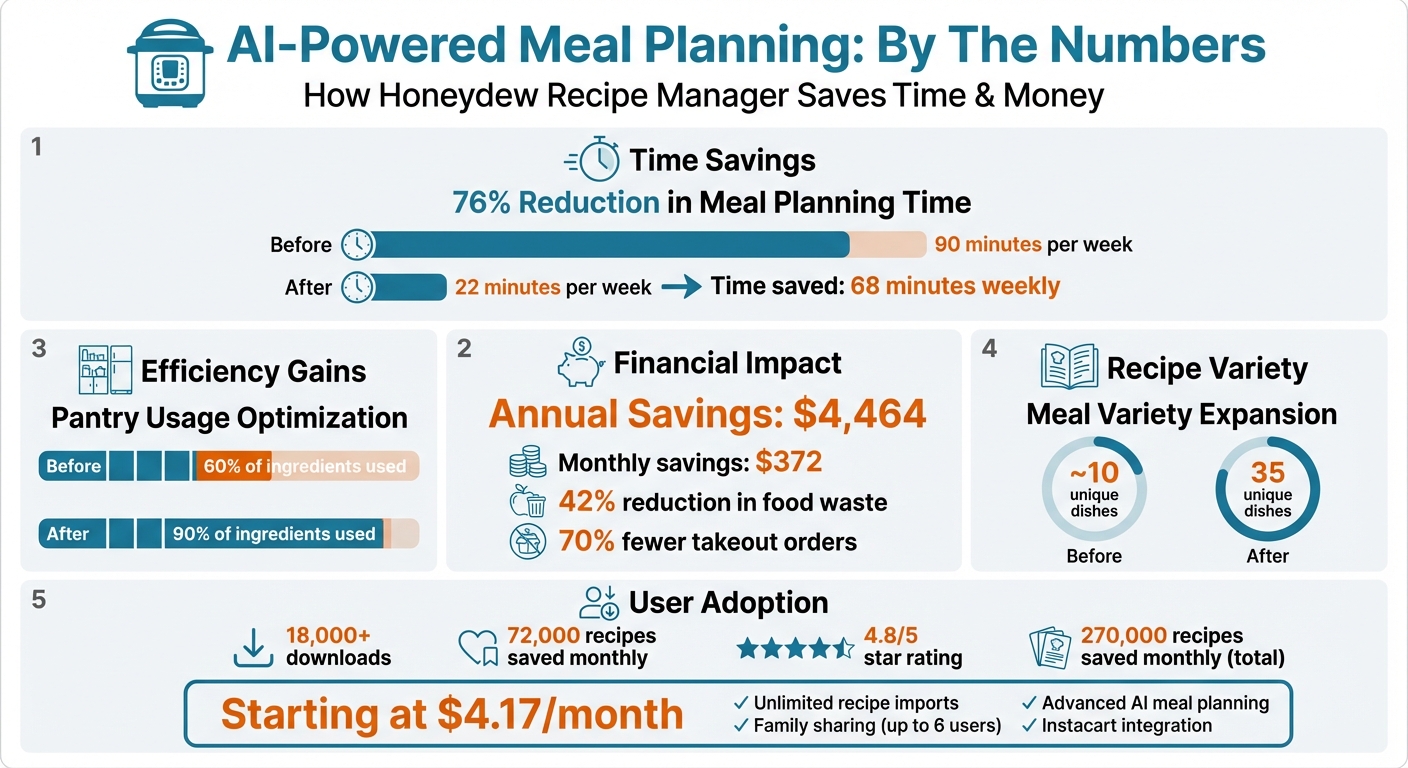
Planning Instant Pot meals can be time-consuming and stressful, but AI tools like Honeydew Recipe Manager simplify the process. This app reduces meal planning time by 76%, cuts food waste by 42%, and saves families up to $4,464 annually. Here's how it works:
- Recipe Importing: Extract recipes from TikTok, Instagram, or handwritten notes in seconds.
- Smart Meal Planning: AI tailors meal plans based on your schedule, dietary needs, and pantry inventory.
- Grocery Lists: Automatically creates organized lists, integrates with Instacart, and avoids duplicate purchases.
- Pantry Mode: Suggests recipes using ingredients you already have to minimize waste.
- Instant Pot Support: Converts recipes for pressure cooking and adjusts serving sizes for any pot size.
For just $4.17/month, Honeydew Plus offers unlimited recipe imports, family sharing, and advanced AI tools. Whether you're a busy parent or a home cook, this app transforms meal prep into a quick and efficient task.
Honeydew Recipe Manager AI Meal Planning Benefits and Savings Statistics
How to Import Instant Pot Recipes Using AI
Importing Recipes from TikTok and Instagram with Honeydew

Scrolling through TikTok, Instagram, or YouTube Shorts for Instant Pot recipe ideas is simple, but saving those recipes in an organized, usable format? That’s where it gets tricky. Enter Honeydew Recipe Manager, a tool powered by AI that turns social media cooking videos into structured, easy-to-follow recipes. All you need to do is share the link to a post, and the app extracts the ingredients, measurements, and step-by-step instructions. It skips the fluff, delivering a clean, focused recipe format .
For videos that display text overlays or recipes as images, Honeydew Plus steps in. Its AI scans screenshots, recognizes the text, and converts it into an editable digital recipe. Users rave about how sharing a Reel link instantly generates a concise ingredient list without the hassle of scrolling through lengthy blog intros. With more than 18,000 downloads and around 72,000 recipes saved each month, Honeydew has become a favorite for transforming viral food content into practical meal ideas .
The process couldn’t be easier. Open a TikTok or Instagram post, tap "Share", and select Honeydew from the share options. The app handles the rest, automatically organizing the recipe in your digital cookbook. If a post doesn’t include a clickable link, simply take a screenshot of the ingredient list. The AI will quickly convert it into a structured recipe. Alex D., a satisfied user, shared:
"The AI scanner turns my random screenshots into actual meals in seconds"
Once imported, recipes are fully customizable and ready to be organized for quick access during your busiest weeknights.
How to Organize Your Imported Instant Pot Recipes
Honeydew makes organizing recipes a breeze. You can create custom folders, tag recipes by cuisine or cooking method, and even search by specific ingredients. For Instant Pot fans, setting up a dedicated "Instant Pot" folder ensures pressure cooker recipes are easy to find, keeping them separate from stovetop or oven-based dishes. The app’s search function also lets you filter recipes by the ingredients you already have, saving you from unnecessary grocery trips .
Planning meals is just as simple. Use the drag-and-drop calendar to visually map out your week, and enjoy real-time syncing across family accounts. The app even includes a "no screen lock" feature, so your phone stays active while you cook - no more fumbling with messy hands to unlock your screen. Priya K., another user, highlighted:
"Being able to import recipes from anywhere has built my cookbook faster than I ever imagined"
With everything neatly organized, meal planning becomes stress-free, and your Instant Pot recipes are always just a tap away.
AI-Generated Meal Plans for Instant Pot Dinners
Getting Personalized Meal Plans in Seconds
Honeydew's AI meal planner takes the hassle out of meal planning by analyzing seven key factors: your schedule, nutritional needs, family preferences, dietary restrictions, pantry inventory, budget, and cooking skills. Instead of handing you a cookie-cutter plan, it crafts one that fits seamlessly into your life.
For instance, if your calendar shows a late evening due to soccer practice, the AI automatically schedules a recipe that requires minimal effort. Here's how Honeydew's AI explains it:
"Tuesday you're home late (soccer until 7 PM), so I scheduled a slow cooker recipe you can start in the morning"
This smart approach saves a ton of time - cutting meal planning from 90 minutes to just 22 minutes. Families using the platform have also cut back on takeout by 70% and expanded their meal variety from about 10 to 35 unique dishes.
The planner is highly flexible, accommodating a range of dietary choices like Keto, Vegan, Paleo, High-Protein, and Gluten-Free. It even adjusts for family size, cooking skills, and busy schedules, prioritizing recipes that take less than 45 minutes when time is tight.
And when it comes to Instant Pot meals, this tailored approach makes cooking even easier.
Finding Instant Pot-Optimized Recipes
If you select the Instant Pot as your go-to appliance, the AI focuses on recipes designed for pressure cooking. It checks your available tools - like a slow cooker, multi-cooker, or sheet pan - and ensures the recipes match, so you don’t have to waste time converting them yourself.
The "Ask Honey" AI assistant takes things a step further. Found a recipe that’s not Instant Pot-ready? Just ask the assistant to "convert this recipe for an Instant Pot", and it will rework the instructions with exact pressure cooking settings. Even better, you can snap a photo of your fridge or pantry, and the AI will analyze your ingredients to suggest Instant Pot recipes, helping you use what you already have .
This smarter planning doesn’t just save you time - it saves money too. Families of four can save roughly $4,464 annually by reducing food waste and shopping more efficiently. Honeydew’s AI also helps cut monthly food waste by 42% by prioritizing ingredients that are close to expiring. As the company puts it:
"The magic isn't the meal plan - it's the context integration that happens automatically"
With optimized recipes and smarter planning, Honeydew simplifies everything from choosing meals to grocery shopping. It’s meal planning, made smarter.
Auto-Generated Grocery Lists for Instant Pot Meals
Creating Smart Grocery Lists from Your Recipes
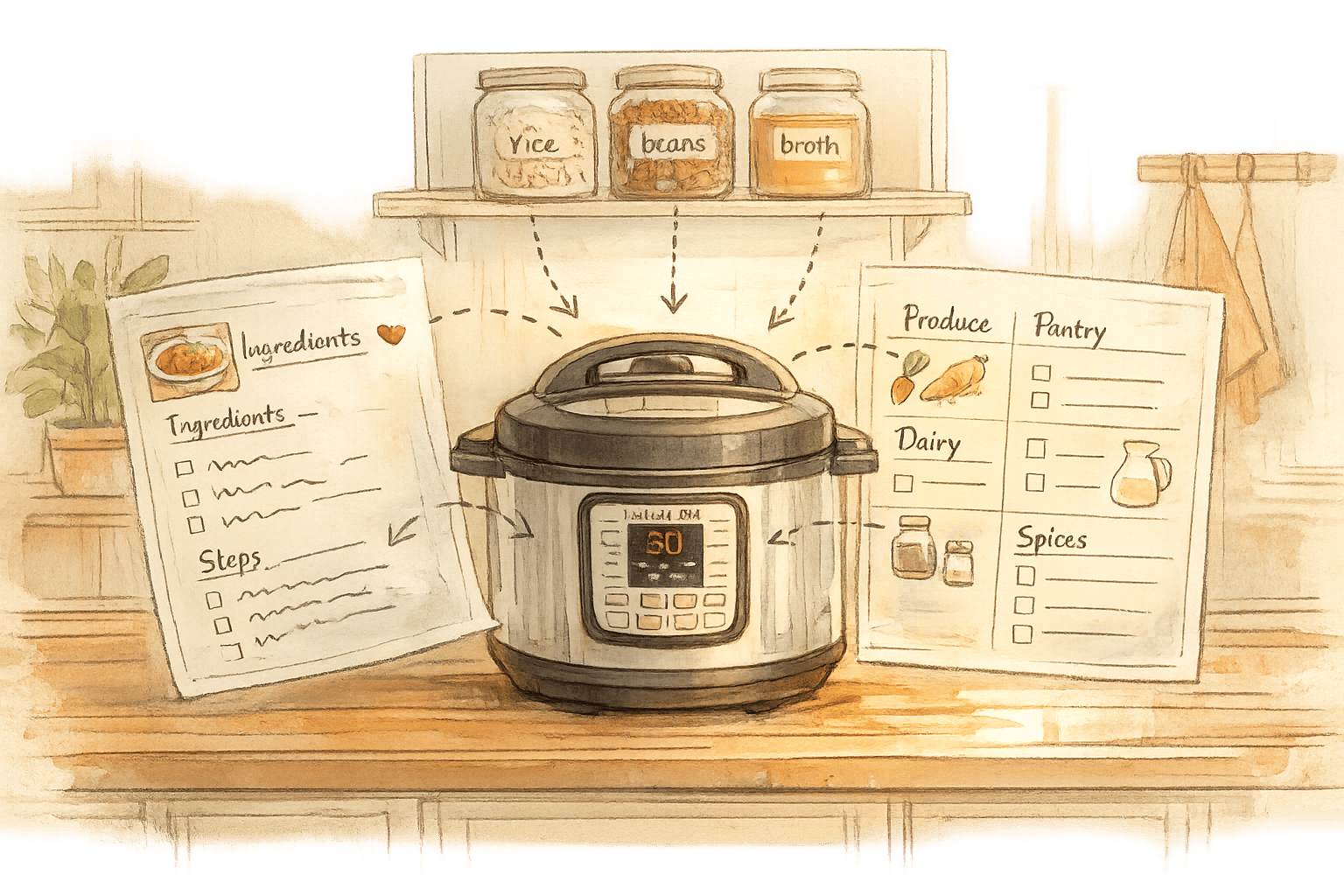
Honeydew takes meal planning to the next level by simplifying grocery shopping. Once you add your Instant Pot recipes, the app automatically pulls all the ingredients and calculates the exact quantities you’ll need for the week. This means no more guessing or overbuying - everything is accounted for across all your recipes.
To make shopping even easier, Honeydew organizes your grocery list by store aisle - grouping items into categories like produce, dairy, meat, and pantry staples. Whether you’re shopping in person or online, this layout saves time and keeps your trips efficient.
Another handy feature? You can cross-check your pantry by snapping a photo. Honeydew’s AI scans the image and removes any items you already have from your list. This helps you avoid buying duplicates and cuts down on those impulse buys. As one user, James L., shared:
"The smart grocery lists save me hundreds of dollars a month. I love how it suggests recipes based on what I already have!"
These smart lists also pave the way for seamless online shopping with Instacart integration.
Ordering Ingredients Through Instacart Integration
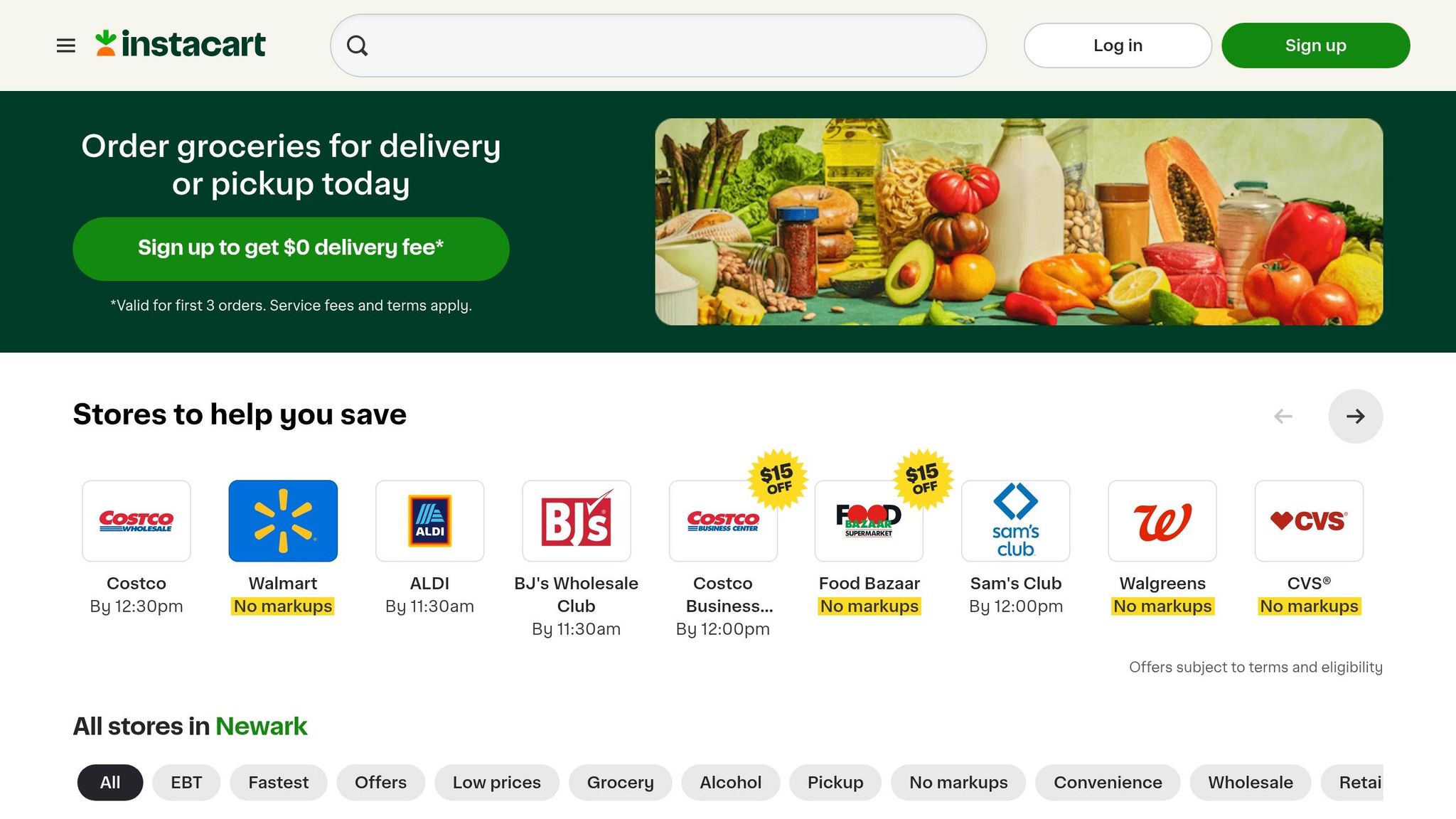
Once your grocery list is ready, Honeydew makes the next step effortless. The app connects directly with Instacart, letting you send your list with just one tap. You can quickly review quantities and even get alternative suggestions for out-of-stock items. From meal plan to delivery order, the whole process takes less than 10 minutes.
The app also ensures pantry staples you’ve marked as "in stock" - like salt, oil, or spices - are automatically excluded from your order. Plus, if you’re sharing your Honeydew account with family members (up to six people on Honeydew Plus), everyone gets real-time updates on the list. This keeps everyone on the same page, avoids duplicate purchases, and helps minimize food waste.
Smart Ingredient Substitutions and Pantry Mode
Finding Substitutes for Missing Ingredients
Running out of an ingredient doesn't have to ruin your Instant Pot dinner plans. With Honeydew's "Ask Honey" AI assistant, you can tweak recipes instantly using text or voice commands. Say you're out of regular flour - just ask the AI to "make this gluten-free", and it will adjust the recipe with precise Instant Pot instructions. The app doesn't stop there; it recalculates the recipe's nutritional data - like calories, protein, fat, carbs, and fiber - and even updates your grocery list in real time.
As Emily C. put it:
"The ingredient substitution feature is a game-changer for my dietary restrictions. I can adapt any recipe easily!"
The AI also offers suggestions to cater to a wide range of dietary needs, so you can keep cooking even if you're short on certain items. If substitutions alone won’t cut it, that’s where Pantry Mode steps in to save the day.
Using Pantry Mode to Find Recipes
Pantry Mode takes meal planning a step further by making the most of what you already have at home. Simply snap a picture of your fridge or pantry, and Honeydew's AI will identify your available ingredients while highlighting anything you’re missing. Based on what’s on hand, the app suggests Instant Pot recipes tailored to your inventory, cutting down on unnecessary grocery trips.
This feature isn't just about convenience - it helps reduce food waste, too. Before heading to the store, you can see which meals you can make right now or identify the one missing ingredient needed to complete a recipe. Plus, you can follow the FIFO (First In, First Out) method by prioritizing ingredients nearing their expiration date when selecting recipes.
Adjusting Recipe Serving Sizes
Instant Pots come in various sizes, from 3 to 8 quarts, and Honeydew makes it easy to adjust recipes for any household. The AI scales ingredient quantities to match your pot size and family needs, recalculating nutritional information and grocery lists along the way. Whether you're cooking for a small dinner or a larger gathering, the app ensures every measurement fits perfectly, helping you avoid overbuying and wasting ingredients.
Family-Friendly Features for Instant Pot Cooking
Honeydew makes group meal planning and Instant Pot cooking easier, offering tools that help families stay organized and work together in the kitchen.
Sharing Recipes and Lists with Family Members
With Honeydew's household sharing feature, up to six family members can access shared recipes, meal plans, and grocery lists on all their devices. Thanks to real-time syncing, any update - like adding a new Instant Pot recipe or tweaking the shopping list - immediately shows up for everyone. This eliminates duplicate purchases and simplifies dinner planning. Plus, everyone can pitch in by adding recipes from social media or adjusting the weekly menu, ensuring that whoever's at the store knows exactly what to buy.
Alex P. highlights the benefits:
"My family of five uses Honeydew for all our meal planning. The household sharing feature keeps everyone organized."
Beyond just sharing recipes, Honeydew also provides practical help during cooking.
Getting AI Help While Cooking
Planning is one thing, but Honeydew also ensures that cooking goes smoothly. The "Ask Honey" AI assistant offers real-time help in the kitchen. Whether you need to adjust a recipe for allergies, clarify cooking techniques, or find an ingredient substitution, the AI has you covered. It even updates the grocery list and nutritional details automatically when substitutions are made. Many users report saving time and reducing food waste thanks to this smart cooking assistant.
Honeydew Free vs Plus: Which Plan to Choose
Honeydew's pricing plans are designed to fit a variety of household cooking needs, making it easier for families or individuals to plan meals efficiently. This ties seamlessly into the Instant Pot meal planning process we touched on earlier.
Honeydew offers two options: the Free plan and the Plus plan. The Free plan is a no-cost option that doesn’t require a credit card, making it a great starting point for individuals or couples who want to explore the app’s core features. With the Free plan, you can import recipes from platforms like TikTok, Instagram, YouTube, and websites, organize grocery lists by store aisle, and use the “Ask Honey” AI assistant for basic ingredient swaps and meal planning. However, it’s capped at 10 recipe imports, which works well if you’re sticking to a few go-to Instant Pot recipes.
For $4.17/month, the Plus plan unlocks unlimited recipe storage, the ability to import photos, screenshots, or handwritten notes, and household sharing for up to six users. This plan is perfect for families or anyone looking to build an extensive recipe library and access advanced AI tools.
Free vs Plus Plan Comparison
| Feature | Honeydew Free | Honeydew Plus | Instant Pot Benefit |
|---|---|---|---|
| Recipe Storage | Limited to 10 recipes | Unlimited recipes | Keep a growing collection of pressure cooker favorites |
| Import Sources | URLs only (TikTok, Instagram, YouTube, websites) | Photos, screenshots, handwritten notes | Digitize physical recipes for Instant Pot use |
| Household Sharing | Not included | Up to 6 family members | Sync recipes across multiple devices in real time |
| AI Assistant | Basic access | Advanced AI tools | Get help with cooking times or ingredient swaps instantly |
| Ad Experience | Standard | Ad-free forever | Enjoy distraction-free cooking sessions |
| Grocery Integration | Instacart | Instacart | Quickly order all your Instant Pot ingredients online |
This side-by-side breakdown shows how each plan is tailored to different cooking needs.
If you’re a solo cook or just testing the waters, the Free plan is a sensible choice. On the other hand, the Plus plan is ideal for families, those who like to scan and store physical recipes, or anyone who wants more advanced AI support. With a 4.8/5 star rating on app stores and users saving around 270,000 recipes every month, either plan offers excellent support for Instant Pot meal planning.
Conclusion
Planning Instant Pot meals no longer has to be a time-consuming chore. With Honeydew Recipe Manager, what used to take 90 minutes each week now takes just 22 minutes. That’s over an hour of your time saved every single week. The AI takes care of the heavy lifting - managing schedules, dietary preferences, pantry stock, and nutrition goals - so you can focus on what really matters: enjoying your meals.
The financial perks are just as impressive. Families using AI-powered meal planning save an average of $372 per month by cutting food waste by 42% and reducing takeout orders by 70%. Over a year, that’s $4,464 in savings. On top of that, pantry usage jumps from 60% to 90%, making sure those forgotten ingredients finally get used.
"Ultimately, it's the seamless integration of every meal-planning detail that makes the difference."
Whether you’re curious to try the Free plan or ready to dive into Honeydew Plus for $4.17/month, you’ll find tools designed to make Instant Pot cooking simpler. Import recipes from TikTok or Instagram in seconds, let the AI handle your weekly planning, and even order groceries through Instacart - all without leaving the app. And with a 14-day free trial, you can see for yourself how much easier dinner becomes when technology takes care of the details.
Pair your Instant Pot with Honeydew Recipe Manager, and you’ll have a system that simplifies everything from inspiration to the dinner table.
FAQs
How accurate are TikTok and Instagram recipe imports?
AI has become impressively good at pulling recipes from TikTok and Instagram. It can accurately identify ingredients, measurements, and step-by-step instructions from social media posts, making it simple for you to try out those trending dishes in your own kitchen.
Can it adjust pressure-cook times for my Instant Pot size?
AI-powered meal planning tools, such as Honeydew Recipe Manager, can tweak pressure-cooking times based on the size of your Instant Pot. These tools adjust recipes and cooking durations to deliver precise results tailored to your specific appliance.
Will it work if I don’t track my pantry perfectly?
Yes, it will still work. Even if your pantry tracking isn't fully up-to-date, the app can still estimate your inventory and suggest substitutions for recipes. However, to get the most accurate recipe suggestions and grocery lists, it's a good idea to keep your pantry updated as much as you can.